Building a powerful gaming computer requires choosing components that work well together. The processor and graphics card are especially important because they directly influence gaming performance, frame rates, and the ability to enjoy demanding titles at high resolutions. One combination that attracts serious gamers is AMD's Ryzen 7 9800X3D processor paired with NVIDIA's GeForce RTX 5080 graphics card. 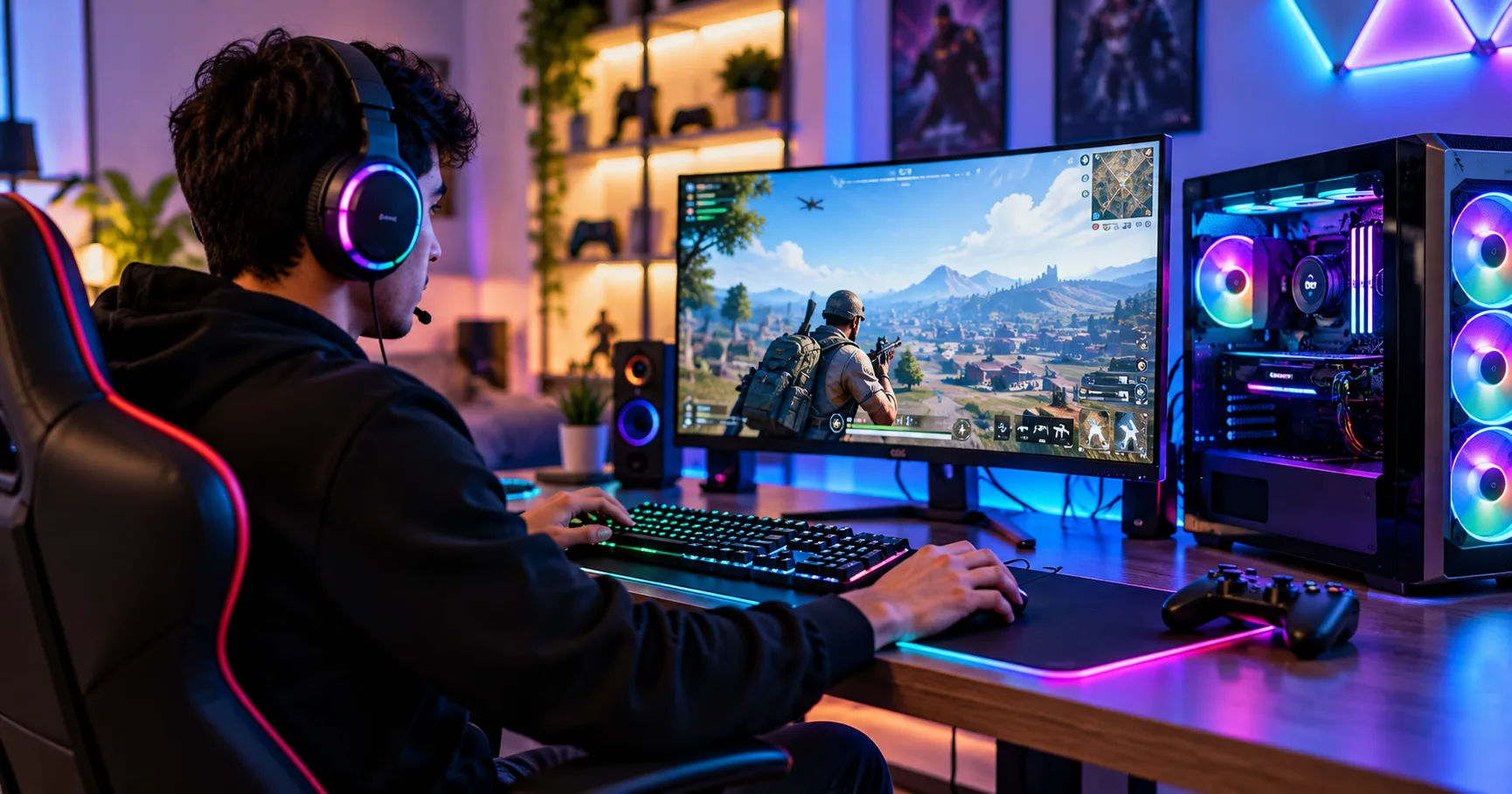 A 9800x3d gaming pc equipped with an RTX 5080 can deliver an outstanding gaming experience, particularly for players who want high frame rates, detailed graphics, and smooth performance in modern games. The processor is designed to excel in gaming workloads, while the graphics card provides substantial rendering power for demanding visual settings, ray tracing, and advanced upscaling technologies.
The important question is whether these two high-end components complement each other effectively. The answer is yes. They form a strong combination for enthusiasts who want a premium desktop gaming system. However, the actual results depend on the games you play, your monitor's resolution, your cooling setup, and the quality of the remaining components.
This comprehensive guide explains how the combination performs, whether bottlenecks are a concern, what hardware you need, and how to get the best value from your investment.
The Ryzen 7 9800X3D and RTX 5080
Before putting together a gaming system, it helps to understand what each component contributes to the overall experience.
What Makes the Ryzen 7 9800X3D Special?
The AMD Ryzen 7 9800X3D is a desktop processor built around AMD's Zen 5 architecture. It features eight cores and 16 threads, making it capable of handling demanding games alongside everyday applications and many background tasks.
One of its most important features is AMD 3D V-Cache technology. This technology adds a large amount of cache memory close to the processor's computing cores. Games frequently access the same data repeatedly, so having more data available in the cache can reduce the need to retrieve it from slower system memory.
The result can be higher frame rates and improved consistency in CPU-intensive games. Competitive shooters, strategy games, simulation titles, and large open-world environments can benefit particularly well, although the size of the improvement varies between games.
What Does the RTX 5080 Bring to the System?
The NVIDIA GeForce RTX 5080 is a high-end graphics card based on NVIDIA's Blackwell architecture. It features 16GB of GDDR7 graphics memory and supports modern technologies designed to improve rendering performance and visual quality.
Its strengths include:
-
High-performance gaming at 1440p and 4K resolutions.
-
Hardware-accelerated ray tracing for more realistic lighting and reflections.
-
DLSS features that can improve performance in supported games.
-
Frame Generation technologies that can increase displayed frame rates.
-
Support for demanding visual effects and high-resolution textures.
Together, these features make the RTX 5080 suitable for gamers who want a premium experience without immediately stepping up to the most expensive graphics card available.
How Well Do the 9800X3D and RTX 5080 Work Together?
The main advantage of this combination is that each component is powerful enough to support the other in demanding gaming situations. The processor can handle complex game calculations, while the graphics card renders detailed environments, lighting effects, shadows, and high-resolution images.
Is There a CPU or GPU Bottleneck?
A bottleneck occurs when one component limits the performance that another component could otherwise deliver. Every computer experiences some degree of limitation depending on the workload, but that does not mean a system is poorly balanced.
With a 9800x3d gaming pc and RTX 5080, the risk of a significant processor bottleneck is relatively low in most demanding modern games, particularly at higher resolutions. The Ryzen 7 9800X3D has the gaming-focused architecture and cache capacity to support a powerful graphics card.
At 1080p, however, some games may become CPU-limited because the graphics card can render frames faster than the processor can prepare them. This is more noticeable when aiming for extremely high frame rates in competitive titles.
At 1440p and 4K, the graphics card generally has more rendering work to perform. That shifts more of the workload toward the GPU, allowing the RTX 5080 to make better use of its processing power.
Why This Combination Is Better Than an Unbalanced Build
Pairing a flagship-class graphics card with a much weaker processor can reduce performance in CPU-intensive games. Conversely, spending heavily on a gaming processor while using a relatively modest graphics card may leave graphics performance below expectations.
The 9800X3D and RTX 5080 avoid much of that imbalance. They are both premium components suited to enthusiasts who want high frame rates, demanding graphical settings, and a system that can remain capable for several years.
Keep in mind that no combination guarantees a specific frame rate in every game. Game optimization, background applications, graphics settings, and driver versions all affect results.
Gaming Performance at Different Resolutions
Your monitor's resolution is one of the most important factors when deciding whether this hardware combination suits your needs.
1080p gaming
High frame rates
The processor can be a more important performance factor at this resolution, especially in competitive games. The 9800X3D is an excellent fit for players targeting very high refresh rates, although the RTX 5080 may be more graphics power than necessary for basic 1080p gaming.
1440p gaming
Excellent balance
This resolution provides a strong mix of visual detail and responsiveness. The combination is particularly attractive for players who enjoy demanding single-player games as well as competitive multiplayer titles.
4K gaming
Premium experience
The RTX 5080 is well suited to high-resolution gaming, including demanding graphical effects and supported DLSS features. The 9800X3D helps maintain strong CPU performance so that the graphics card can do most of the rendering work.
Is the RTX 5080 Good for 4K Gaming?
Yes. The RTX 5080 is designed for high-end gaming, and 4K is one of the resolutions where its graphics capabilities make the most sense. Its 16GB of GDDR7 memory and support for modern rendering technologies make it a compelling choice for visually demanding titles.
However, 4K gaming at maximum settings with ray tracing can still challenge even a powerful GPU. Some games may require DLSS, adjusted graphics settings, or Frame Generation to achieve your preferred balance of image quality and smoothness.
Frame Generation is worth understanding because generated frames can increase displayed frame rates without providing the same improvement in underlying game simulation responsiveness. For competitive play, native performance and system latency remain important.
Does the Pairing Suit Competitive Gaming?
Absolutely. Games that benefit from high frame rates and strong CPU performance can make good use of the Ryzen 7 9800X3D. Titles such as Counter-Strike 2, Valorant, Fortnite, and other competitive games may benefit from the processor's cache and fast core performance.
The RTX 5080 can also support high-refresh-rate gaming, provided your chosen game, settings, and monitor allow it. A 240Hz or 360Hz display may be useful for competitive players, although you should select a monitor based on the games you play and the frame rates your system can sustain.
Recommended Components for a Balanced Build
A powerful processor and graphics card are only two parts of a complete gaming computer. The motherboard, memory, power supply, cooling system, and storage all contribute to stability and performance.
|
Component |
Recommended choice |
Why it matters |
|---|---|---|
|
Processor |
AMD Ryzen 7 9800X3D |
Strong gaming performance |
|
Graphics card |
NVIDIA GeForce RTX 5080 |
High-end rendering and 4K gaming |
|
Motherboard |
Quality AM5 motherboard |
CPU compatibility and reliable power delivery |
|
Memory |
32GB DDR5, preferably a matched kit |
Smooth gaming and multitasking |
|
Storage |
1TB or 2TB NVMe SSD |
Fast loading and sufficient game space |
|
Power supply |
Quality 850W or higher unit |
Suitable power capacity for the graphics card |
|
CPU cooling |
Strong air cooler or compatible liquid cooler |
Helps maintain stable processor performance |
|
Case |
Airflow-focused mid-tower or larger |
Space and cooling for high-power components |
Choosing the Right Motherboard
The Ryzen 7 9800X3D uses AMD's AM5 socket and supports compatible AM5 motherboard chipsets. These include B650, B650E, X670, X670E, B850, and X870-series options, subject to the individual board's BIOS and CPU support.
A quality B650 or B850 motherboard can be sufficient for a gaming-focused build. More expensive boards may offer additional connectivity, expansion slots, faster networking, or other features, but they do not automatically deliver higher gaming frame rates.
Check the manufacturer's CPU support list and BIOS requirements before purchasing. A motherboard may need a BIOS update to recognize the processor.
How Much RAM Do You Need?
For a premium gaming computer, 32GB of DDR5 memory is a sensible starting point. It gives modern games room to operate while allowing you to keep a browser, voice chat, and other applications open.
A matched two-module kit is generally a practical choice. Enable AMD EXPO in the BIOS when your memory kit and motherboard support it and the system is stable.
You can choose 64GB if you regularly edit large video projects, run demanding creative software, or use memory-intensive applications alongside gaming. For gaming alone, however, the additional capacity does not guarantee higher frame rates.
Selecting Fast Storage
An NVMe SSD makes games load quickly and helps reduce the time spent waiting between levels or launching applications. A 1TB drive can work for a smaller game library, but 2TB is more comfortable for users who install many large modern games.
PCIe 4.0 SSDs already offer excellent gaming performance. A PCIe 5.0 model may provide higher sequential transfer speeds, but those numbers do not necessarily translate into a meaningful improvement in everyday gaming.
Consider reliability, capacity, warranty, and price rather than buying the fastest drive solely for its specifications.
Power Supply and Cooling Requirements
High-performance components need reliable power delivery and effective cooling. These are particularly important when using an RTX 5080, which can draw substantial power under gaming workloads.
What Power Supply Should You Use?
NVIDIA specifies 850W as the recommended system power rating for the reference RTX 5080 configuration. The graphics card has a total graphics power rating of 360W, although actual power consumption varies with workload and the specific card model.
For a 9800x3d gaming pc, a high-quality 850W power supply is a reasonable starting point for a standard configuration. A 1000W unit may be worth considering if you want additional headroom, plan to use a factory-overclocked graphics card, or expect to add power-hungry components.
Look for a reputable unit with strong independent reviews, appropriate protection features, and a suitable warranty. An ATX 3.1 power supply with a compatible native 12V-2×6 cable is a practical option for a new build.
If your graphics card uses an adapter, follow the manufacturer's instructions carefully. Ensure all power connectors are fully seated and avoid sharp bends near the connector. Never use an unsuitable cable simply because it fits.
Does the Ryzen 7 9800X3D Need Liquid Cooling?
The Ryzen 7 9800X3D has a default thermal design power of 120W, and AMD recommends liquid cooling for optimal performance. It does not mean that every build must use an expensive liquid cooler. A capable air cooler may also be suitable when it can handle the processor's thermal requirements.
Consider these cooling options:
-
High-performance air cooling: A good choice for users who prefer straightforward installation and fewer maintenance concerns.
-
240mm liquid cooling: Can be a suitable option depending on the cooler's performance, case airflow, and processor workload.
-
360mm liquid cooling: Offers additional cooling capacity, but costs more and requires sufficient case space.
The best choice depends on your budget, noise preferences, case compatibility, and workload. Monitor temperatures during extended gaming sessions instead of assuming that a particular cooler will always deliver better results.
Why Case Airflow Matters
The RTX 5080 generates considerable heat when working hard. A case with good airflow helps move warm air away from the graphics card, processor, and other components.
Choose a case that supports your exact graphics card dimensions. Some RTX 5080 models are substantially larger than the reference design, so check the manufacturer's measurements before buying.
A practical airflow setup includes front or bottom intake fans and rear or top exhaust fans, depending on the case layout. Keep dust filters clean and avoid blocking the front intake with unnecessary obstacles.
How to Get the Best Performance From Your Build
Once the hardware is assembled, a few setup steps can help you get consistent performance without spending more money.
Update the BIOS and Drivers
Install a stable motherboard BIOS that supports your processor. Then install the appropriate AMD chipset drivers and the latest suitable NVIDIA graphics driver.
Driver updates can improve compatibility, resolve bugs, and optimize performance in selected games. However, newer drivers do not guarantee better frame rates in every title, so stability matters more than chasing every update immediately.
Configure Memory and Game Settings
Enable the supported memory profile in the BIOS, verify that the memory runs at its intended settings, and test system stability. Leave processor settings at sensible defaults before experimenting with performance tuning.
For demanding games, adjust settings according to your priorities. High textures may be worthwhile if you want detailed environments, while lowering certain shadow, reflection, or ray-tracing settings can improve performance when needed.
DLSS can be particularly useful at 4K. Test image quality and responsiveness in the games you actually play rather than relying on a single benchmark.
Monitor Temperatures and Frame Times
Frame rates alone do not tell the entire story. A game that reports a high average FPS can still feel inconsistent if frame times fluctuate significantly.
Use a trusted monitoring tool to observe CPU and GPU temperatures, utilization, clock speeds, and frame-time behavior. If performance falls during long sessions, investigate cooling, power settings, and background processes before replacing hardware.
Avoid aggressive overclocking before you have confirmed that the system is stable. Small performance gains are rarely worth recurring crashes or unpredictable behavior.
Is a 9800X3D Gaming PC With RTX 5080 Worth the Money?
The value of this combination depends on your gaming habits, budget, and expectations. Both components are designed for demanding workloads, so the system is best suited to enthusiasts who will benefit from their capabilities.
Who Should Buy This Combination?
A 9800x3d gaming pc with an RTX 5080 is a strong choice for several types of users.
4K gaming enthusiasts can benefit from the graphics card's rendering power, especially when playing visually demanding games. The processor provides strong gaming performance to complement the GPU.
Competitive gamers may appreciate the 9800X3D's ability to deliver high frame rates in CPU-intensive titles. However, the RTX 5080 may be excessive if you play only lightweight competitive games at 1080p.
Streamers and multitaskers can benefit from the system's overall performance. The graphics card's video encoding capabilities can support streaming, while the processor handles game logic and other CPU-based tasks. The ideal configuration still depends on your streaming software and workload.
Long-term PC builders may also find this combination attractive because it provides substantial performance headroom for future games. Nevertheless, no component guarantees that every future title will run at maximum settings for a specific number of years.
When Should You Consider a Cheaper Graphics Card?
If you primarily play esports titles at 1080p, you may achieve your desired performance with a less expensive graphics card. Spending the difference on a better monitor, larger SSD, or other useful upgrades could make more sense.
Likewise, if you mainly play older games or titles with modest graphics requirements, the RTX 5080's additional capabilities may go unused.
Before purchasing, compare the complete system cost rather than focusing exclusively on the processor and graphics card. A balanced build with a reliable power supply, suitable cooling, adequate memory, and a good monitor often delivers a better overall experience than a system that spends nearly everything on two components.
Common Mistakes to Avoid
Even an expensive gaming computer can disappoint if the rest of the configuration is poorly planned.
Choosing a Weak Power Supply
Do not save money by choosing an unreliable power supply. A high-quality unit with appropriate capacity is essential for stable operation, particularly when the graphics card draws substantial power.
Buying an Incompatible Motherboard
Check socket compatibility, BIOS support, memory compatibility, and the motherboard's available features before purchasing. An AM5 motherboard is required for the Ryzen 7 9800X3D.
Ignoring Graphics Card Dimensions
RTX 5080 models vary in size. Measure the case's GPU clearance and account for the power cable before ordering the card.
Spending Too Much on Unnecessary Features
Premium motherboards, elaborate liquid-cooling systems, and extremely fast SSDs can increase the total price without delivering proportional gaming improvements. Prioritize components that improve your actual experience.
Expecting Identical Results in Every Game
Performance depends on the game engine, resolution, settings, driver support, and software environment. Benchmark results from one game cannot reliably predict performance in every other title.
Conclusion
Yes, the AMD Ryzen 7 9800X3D pairs extremely well with the NVIDIA GeForce RTX 5080. Together, they form a powerful gaming system suited to high-refresh-rate 1440p gaming, demanding 4K experiences, competitive titles, and graphically intensive modern games.
The processor's eight cores, 16 threads, and 3D V-Cache technology provide strong gaming performance, while the RTX 5080 brings advanced graphics capabilities, 16GB of GDDR7 memory, ray tracing, and DLSS support. These strengths make the combination particularly appealing to enthusiasts who want high performance across a wide range of games.
To get the most from this hardware, choose a compatible AM5 motherboard, install 32GB of suitable DDR5 memory, use a fast NVMe SSD, and invest in a reliable power supply. An airflow-focused case and capable CPU cooling will also help maintain consistent performance during extended gaming sessions.
Ultimately, the right configuration depends on your monitor and the games you enjoy. If you want a premium computer for 1440p or 4K gaming, this pairing is an excellent option. If your needs are limited to basic 1080p gaming, a less expensive graphics card may offer better value.
With thoughtful component selection, proper setup, and sensible cooling, a 9800x3d gaming pc featuring an RTX 5080 can provide an impressive gaming experience without requiring unnecessary upgrades elsewhere in the system.