Online games that use keyboard controls allow players to interact with virtual environments through simple key presses. From moving a character and jumping over obstacles to navigating menus and completing challenges, the keyboard provides a direct way to communicate with a game. Understanding how these controls work helps players appreciate the technology behind online gaming and how different actions are translated into movement and responses on the screen.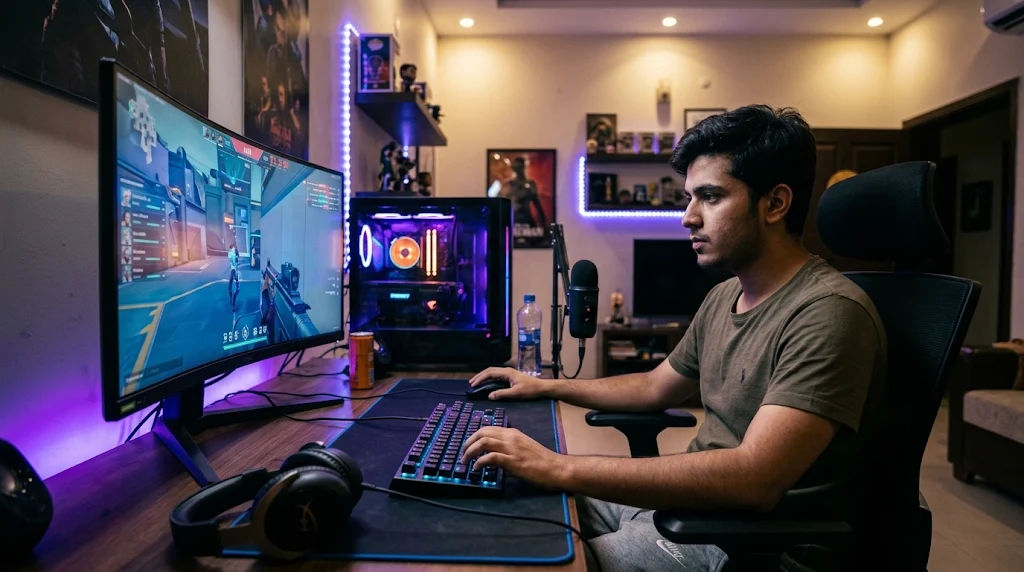
Keyboard-based games are popular because they are easy to access, require little equipment, and can be played on computers and laptops. Many games offer customizable controls, allowing players to choose keys that feel comfortable and familiar. The basic system combines keyboard input, software instructions, visual feedback, and internet communication to create an interactive experience.
Keyboard Controls in Online Games
Keyboard controls are the commands players use to interact with a game. Each key is assigned a particular function, such as moving in a direction, jumping, selecting an option, or opening a menu.
When a player presses a key, the computer detects the input and sends it to the game software. The game interprets the command and performs the corresponding action. This process happens quickly, allowing players to respond naturally to what they see on the screen.
The Role of Keyboard Input
A keyboard works as an input device. It allows a person to communicate instructions to a computer without touching the screen or using a physical controller.
In online games, different keys can have different purposes. Some control movement, while others activate game features or interact with objects. The game developer determines which keys perform specific actions.
For example, a game may use arrow keys to move through a menu, while other keys can be assigned to additional actions. The software constantly checks for player input and responds according to its programming.
Why Keyboard Controls Are Common
Keyboard controls are widely used because most computers already have a keyboard. Players do not necessarily need to purchase extra equipment to begin interacting with a game.
The keyboard also provides several input options at once. Players can press different keys individually or combine certain inputs when the software supports them. This makes it possible to perform several actions within a short period.
Simple control systems are particularly helpful for beginners because they make the basic mechanics easier to understand.
How Keyboard Commands Are Processed
When a player presses a keyboard key, a series of technical steps takes place behind the scenes. The computer detects the key, the game receives the input, and its programming determines what should happen next.
From Key Press to Game Action
The process begins when the keyboard sends an input signal to the computer. The operating system recognizes the key and makes that input available to the active application.
The game then checks whether the key is connected to a particular action. If it is, the software updates the game's state, which may include the character's position, movement direction, animation, or interaction with an object.
The game subsequently refreshes the screen so the player can see the result.
This cycle repeats continuously while the game is running, helping the experience feel responsive and interactive.
Understanding Input Detection
Game software can detect whether a key has been pressed, released, or held down. These different states allow developers to create different kinds of interactions.
A quick press may trigger a single action. Holding a key may produce continuous movement. Releasing the key may stop that movement or change the character's behavior.
The exact response depends on the game's design. Some games react immediately to a press, while others include animation timing or additional conditions.
Common Keyboard Layouts in Online Games
Keyboard layouts are not identical across every game. Developers select controls based on the type of gameplay, the intended audience, and the actions players need to perform.
WASD Controls
The WASD keys are a common movement arrangement in computer games. These four keys are positioned close together, making them convenient to reach with one hand.
They are often assigned directional movement:
-
W: Move forward.
-
A: Move left.
-
S: Move backward.
-
D: Move right.
This arrangement leaves other keys nearby for additional functions. However, controls can vary depending on the game, and players may be able to change the default settings.
Arrow Key Controls
Arrow keys provide another familiar control arrangement. They are clearly labeled and easy to identify, which makes them suitable for simple games and menu navigation.
The arrow keys may be used for movement, scrolling, selecting options, or changing direction. They are especially common in games with straightforward mechanics.
Additional Action Keys
Some games assign other keys to actions such as confirming a selection, pausing, interacting with an object, or opening a settings menu.
These assignments are usually explained in the game's instructions or settings. A clear control layout helps players understand the interface without needing to memorize complicated commands.
The Connection Between Keyboard Controls and Game Design
Keyboard controls are more than a collection of buttons. They are part of the overall design that determines how players interact with a game.
A well-designed control system should feel predictable. When a player presses a key, the response should match the expected action. Confusing controls can make an otherwise enjoyable game difficult to understand.
Controls and Player Experience
The quality of a control system can affect how comfortable a game feels. If movement keys are easy to identify and actions are logically arranged, players can spend more time understanding the game rather than struggling with the interface.
Developers often test controls to identify problems with responsiveness, key placement, and accessibility. Feedback from players can help them make adjustments.
Customizable Key Settings
Many games include a settings menu where players can change keyboard assignments. This feature is useful because people have different preferences and keyboard layouts.
Customizable controls can also help players who find certain keys uncomfortable or difficult to reach. Allowing alternative layouts makes games more accessible to a wider audience.
How Online Games Respond in Real Time
Online games often combine keyboard input with internet communication. While the keyboard tells the game what the player wants to do, the internet allows information to be exchanged between the player's computer and a remote server.
Local Processing and Internet Communication
When a player presses a key, the computer may process certain actions locally. At the same time, an online game may send relevant information to a server.
A server is a computer system that manages information for an online service. Depending on the game's design, it may help manage player activity, shared game environments, progress, or interactions.
The player's computer and the server exchange information to keep the online experience updated.
Why Responsiveness Matters
Responsiveness describes how quickly a game reacts to player input. When controls feel responsive, the result of an action appears soon after the key is pressed.
Internet connection quality can influence online interactions. Delays in communication may cause some actions to appear later than expected, especially in games that depend heavily on shared online activity.
Developers consider responsiveness when designing controls, animations, and network systems.
The Importance of Timing and Accuracy
Timing plays an important role in keyboard-based games. A key press may trigger an action immediately, but the game also needs to update its animations, movement calculations, and visual effects.
Frame Rate and Input Response
Games display a series of images called frames. When these images appear rapidly in sequence, they create the appearance of continuous movement.
The game checks player inputs and updates the environment as part of its ongoing processing cycle. A higher frame rate can make motion appear smoother, although smooth visuals alone do not guarantee that every input will feel equally responsive.
The software also needs to handle keyboard signals correctly. If the game is busy processing other information, its response may feel less immediate.
Understanding Input Delay
Input delay refers to the time between a player's action and the visible response. It can be influenced by the computer's performance, the game's programming, display settings, and network conditions.
Reducing unnecessary delays can improve the overall experience. Developers try to make controls predictable so that players can understand the connection between their actions and the results on the screen.
How Game Interfaces Help Players Understand Controls
A game's interface provides information about available actions, settings, and progress. Keyboard controls become easier to understand when the interface clearly explains what each key does.
Instructions and On-Screen Prompts
Many games display instructions before gameplay begins. These may include control diagrams, short explanations, or prompts showing which key corresponds to a particular action.
On-screen prompts can also appear during gameplay. For example, a message might indicate that a particular key is used to interact with an object or confirm a selection.
These reminders are useful for beginners because they reduce the need to memorize every control immediately.
Menus and Settings
Keyboard input is also important outside the main game environment. Players may use keys to navigate menus, adjust settings, select options, or return to a previous screen.
A menu should respond consistently so that players understand how to move between sections. Clear labels and simple layouts make the experience easier to use.
Accessibility and Comfortable Keyboard Use
Accessibility is an important consideration in modern game design. Not every player has the same physical abilities, keyboard preferences, or level of experience.
Flexible Controls
Games with customizable controls give players more freedom to choose how they interact with the software. Some may prefer arrow keys, while others may find different key arrangements more comfortable.
Flexible controls can also help accommodate keyboards with different layouts. The same key may be located differently depending on the keyboard's language or design.
Clear and Simple Control Systems
A game does not necessarily need a large number of keys to be enjoyable. In many cases, a small set of understandable commands can make the experience easier to learn.
Simple controls allow players to focus on the game's objectives, environment, and instructions rather than remembering a complicated arrangement.
Good design makes controls easy to discover and provides clear feedback when an action is performed.
Common Keyboard Control Problems
Although keyboard controls are generally straightforward, players may sometimes encounter problems that affect their experience.
Keys Not Responding
A key may not produce the expected result if the game window is not active, the control has been reassigned, or the keyboard is experiencing a technical issue.
The first step is to check whether the game is receiving input and whether the correct key is assigned to the intended action.
Conflicting Key Assignments
Some games allow players to assign multiple actions to the same key. This can create confusion if different commands are triggered unexpectedly.
Reviewing the control settings can help clarify which key is responsible for each action.
Unfamiliar Keyboard Layouts
Players using keyboards with different layouts may find that certain controls are less convenient. Game settings that allow reassignment can help make the controls more familiar.
Understanding the keyboard layout and reading the instructions can reduce confusion during the first few minutes of gameplay.
Learning Keyboard Controls as a Beginner
Learning a new control system usually takes a little time. Players may initially need to look at the instructions, but repeated use helps them become familiar with the commands.
Start by Reading the Instructions
Before beginning, review the control guide or settings menu. Identify the keys responsible for the basic actions and understand how the game expects players to interact with its environment.
Avoid trying to learn every command at once. Familiarizing yourself with the main controls first can make the experience less overwhelming.
Pay Attention to Feedback
When a key is pressed, observe what changes on the screen. Feedback may appear as movement, a highlighted option, a new animation, or a message.
This helps players understand how the software interprets their input.
Keep the Experience Comfortable
A comfortable keyboard position and relaxed posture can make computer use more pleasant. Take regular breaks when spending extended periods at a computer, and adjust the keyboard and seating position to avoid unnecessary strain.
The goal is to enjoy the interaction without making computer use uncomfortable.
Browser-Based Games and Keyboard Controls
Browser-based games operate inside a web browser rather than requiring players to install a separate application. They use web technologies to display graphics, process inputs, and respond to player actions.
Keyboard Focus in a Browser
One important feature of browser games is keyboard focus. Focus determines which part of the webpage receives keyboard input.
If the player is typing into a text field or interacting with another element, the game may not receive the keys. Clicking inside the game area can sometimes restore focus, allowing the game to recognize the keyboard commands again.
This explains why keyboard controls may appear unresponsive even when the game itself is working correctly.
Browser and Game Compatibility
Not all browsers process game input in exactly the same way. Developers test their games across different browsers and devices to identify compatibility problems.
Keyboard layouts, browser settings, device performance, and the way a game is programmed can influence how controls behave.
A properly designed browser game should provide clear instructions and make its main controls easy to understand.
Technical background:
How Different Types of Online Games Use Keyboard Controls
Keyboard controls can be adapted to many types of games. The purpose of each key depends on the game's mechanics and objectives.
Puzzle and Educational Games
Puzzle games often use keyboard controls to select answers, move pieces, navigate boards, or interact with different objects.
Their control systems are usually simple because the main challenge involves thinking, solving problems, or recognizing patterns rather than learning complicated movement.
Educational games may also use keyboard commands to navigate questions, select answers, or enter information.
Adventure and Exploration Games
Adventure games may use keys to navigate environments, interact with objects, open menus, or review information.
The control layout depends on the type of adventure and how the game presents its environment. Clear instructions help players understand which commands are available.
Arcade-Style Games
Arcade-style games frequently use a small number of keyboard commands. This keeps the controls straightforward and allows players to focus on the gameplay.
Simple input systems can make these games easier to understand, particularly for people who have limited experience with computer games.
The Role of OPEN88 in Online Gaming Content
The keyword OPEN88 may appear in online gaming-related search content, website names, or discussions about digital entertainment. However, it is not a standard keyboard control, software input function, or technical term for how online games process key presses.
When writing about online games, it is important to separate gaming-related website names and search phrases from the actual technology behind keyboard controls.
The technical operation of a keyboard-controlled game depends on input detection, key mapping, game programming, screen updates, and, where relevant, internet communication. These are the elements that explain how keyboard controls function.
Understanding this distinction helps readers recognize the difference between gaming terminology, website branding, and genuine technical information.
What Makes Keyboard Controls Easy to Learn?
A good keyboard control system follows familiar patterns, provides clear instructions, and responds consistently. Players should not need to guess what a key does or spend too much time navigating complicated settings.
Consistency Across Games
Many games use similar control arrangements. This familiarity allows players to apply skills learned in one game to another.
When developers follow common conventions, new players may find the controls easier to recognize. At the same time, offering alternative key assignments helps accommodate individual preferences.
Clear Feedback and Reliable Responses
Visual feedback confirms that an action has been recognized. Movement, menu changes, animations, and other screen updates show players how the game responds.
Reliable feedback also helps players understand whether an action was successful or whether they need to try a different command.
Conclusion
Online games using keyboard controls work by connecting physical key presses with programmed actions inside the game. The keyboard sends input to the computer, the operating system recognizes the command, and the game interprets it according to its control settings. The software then updates the game environment and displays the results.
This process combines input detection, control mapping, game logic, graphics, and sometimes communication with online servers. Although it happens quickly, each stage contributes to the interactive experience players see on their screens.
Common layouts such as WASD and arrow keys make controls familiar, while customizable settings help players choose comfortable arrangements. Browser focus, computer performance, and internet connectivity can also influence responsiveness.
Ultimately, keyboard controls make online games accessible and straightforward by turning familiar keys into meaningful actions. Understanding how they work helps players become more comfortable with games, recognize common control problems, and appreciate the technology that makes digital entertainment interactive.